





 USD
USD EUR
EUR GBP
GBP CAD
CAD AUD
AUD HKD
HKD JPY
JPY KRW
KRW SGD
SGD NZD
NZD THB
THB TWD
TWD Nederlands
 English
 繁體中文
繁體中文 日本語
日本語 한국어
한국어 ไทย
ไทย Bahasa Indonesia
 Français
 Español
 Deutsch
 Português
 Tiếng Việt
By EVPAD | 11 May 2021 | 0 Comments
How to pair the EVBOX 5P Bluetooth voice remote control?
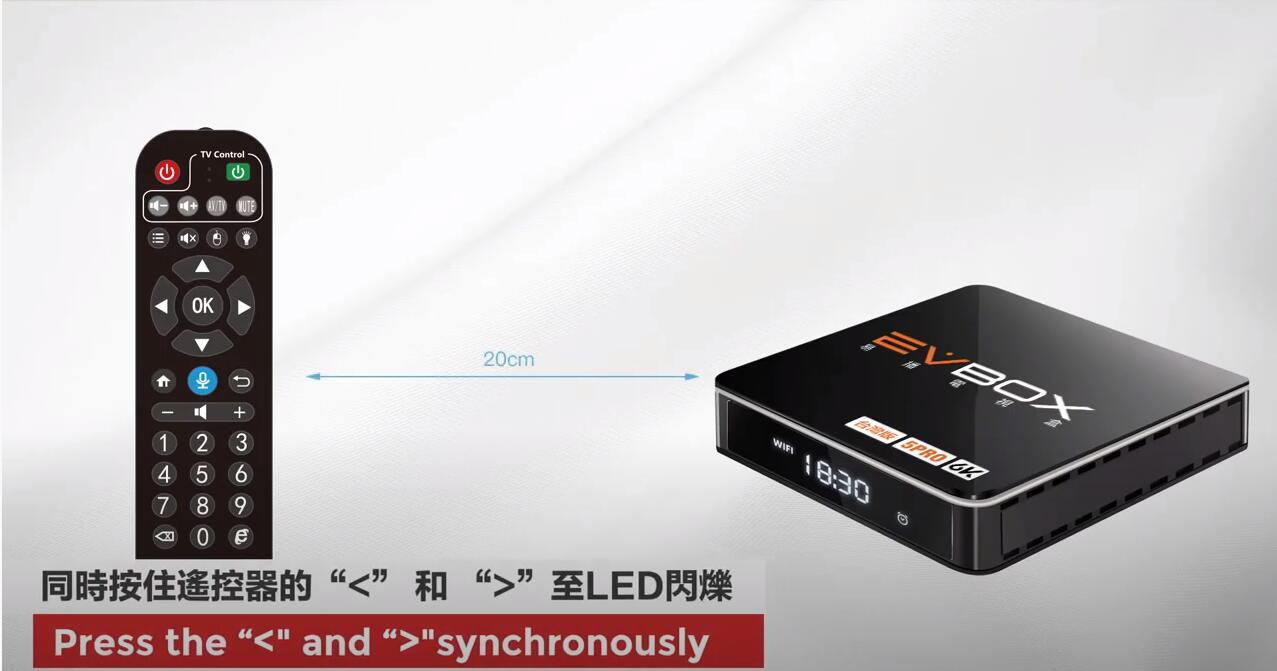
1. Press the “<” and ">" synchronously on the EVPAD 5P remote control.
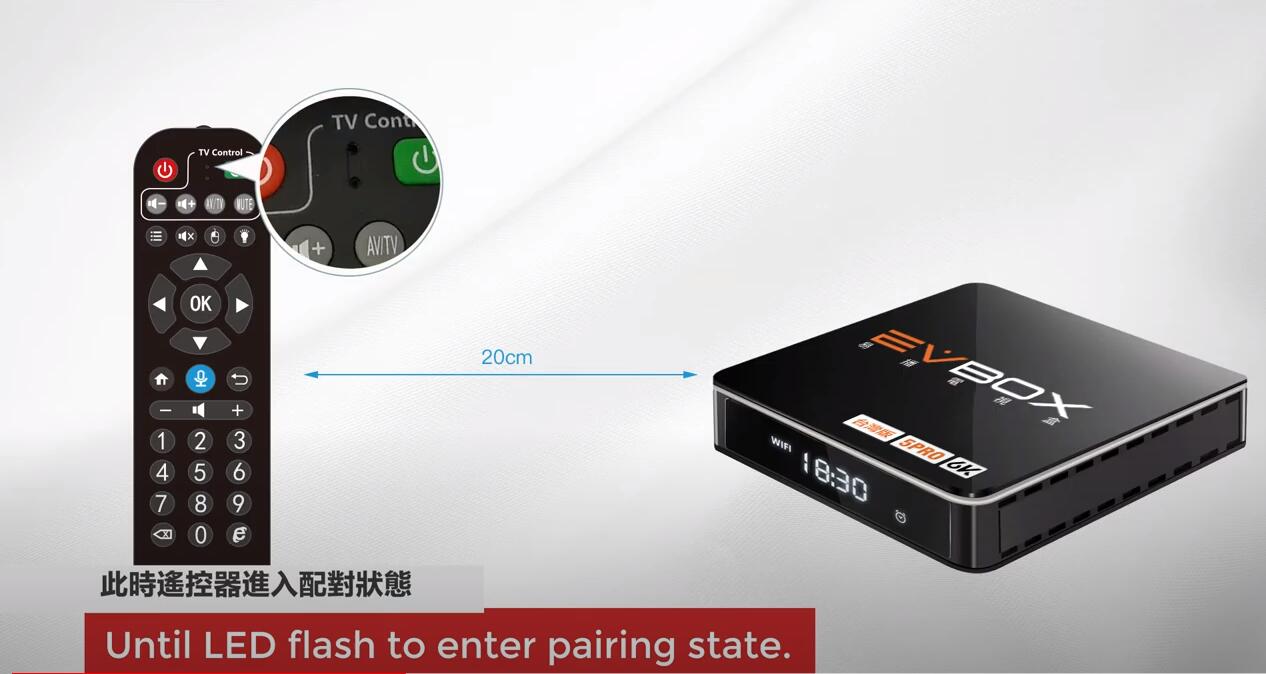
2. Until the LED flashes to enter the pairing state.
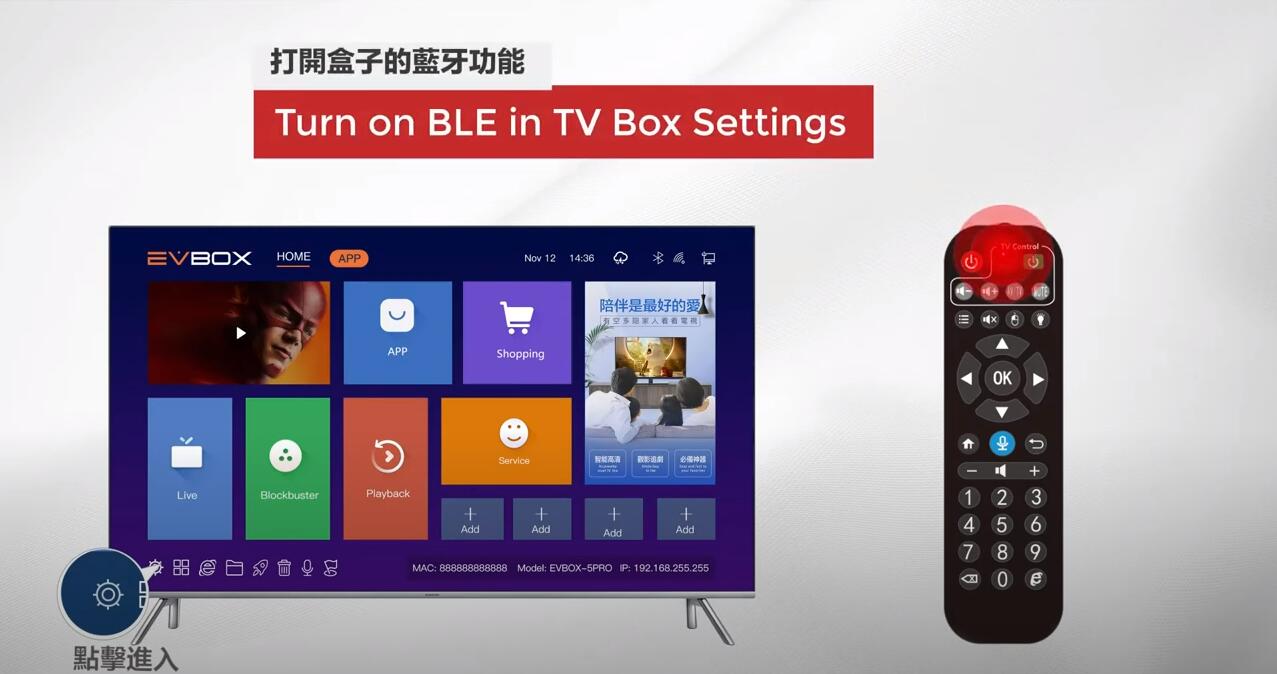
3. Turn on BLE in TV Box Settings
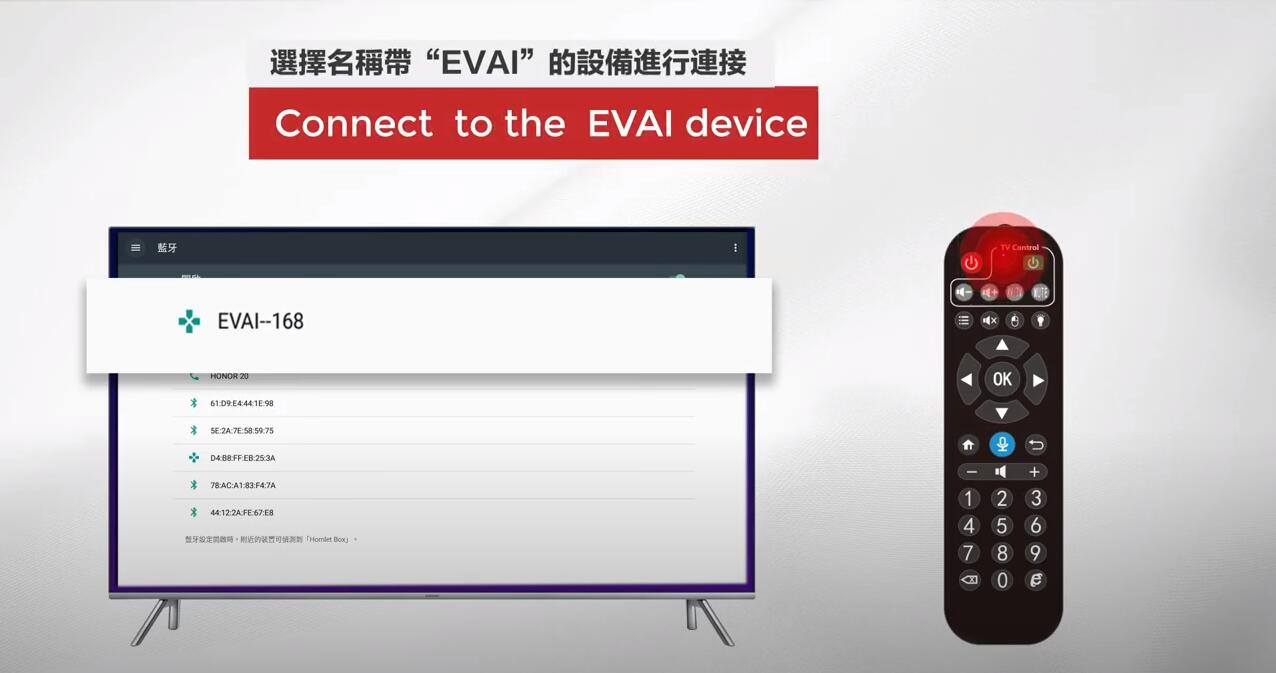
4. Connect to the EVAI device.
5. Pairing successful!
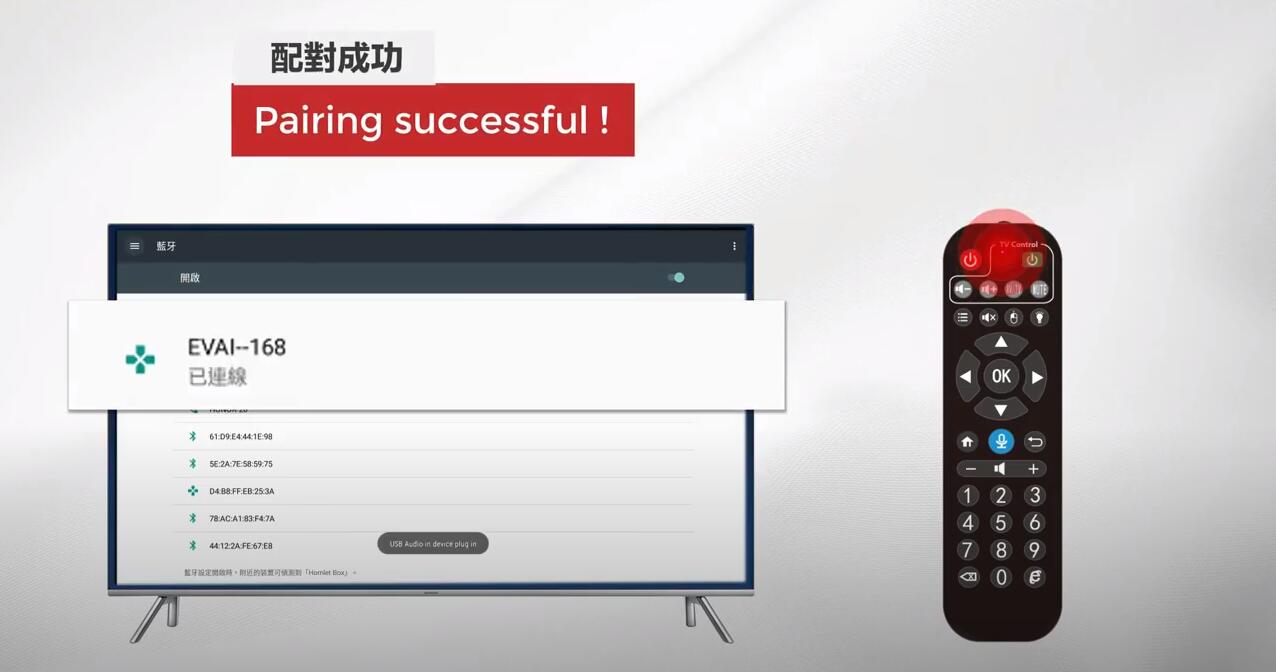
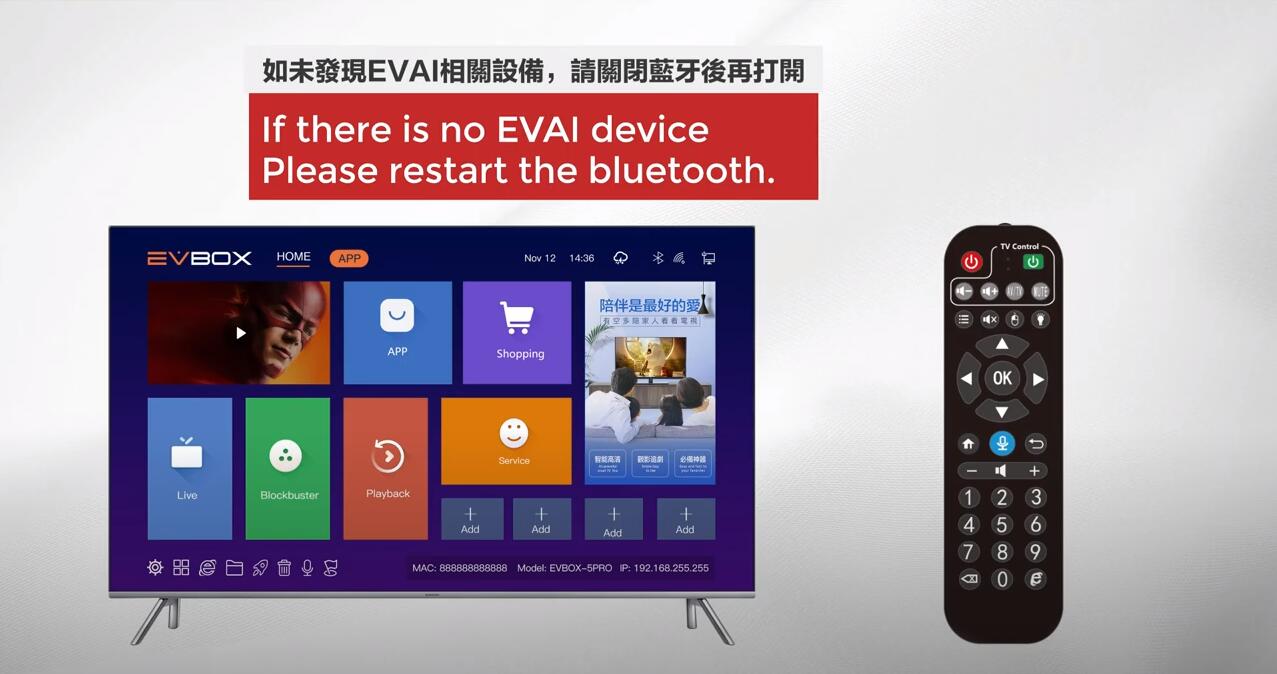
Attention Please: If there is no EVAI device. Please restart the Bluetooth and try to connect again.

2. Until the LED flashes to enter the pairing state.

3. Turn on BLE in TV Box Settings

4. Connect to the EVAI device.

5. Pairing successful!

Attention Please: If there is no EVAI device. Please restart the Bluetooth and try to connect again.

POPULAR BLOG
- AI Verandert Thuisentertainment: Waarom EVPAD de Slimmere Keuze Is
- Officiële garantie van de UnblockTech UBox12 TV Box verlengd naar 18 maanden
- GetMax G12 officieel gelanceerd – De high-end 8K Smart TV Box gebouwd voor snelheid
- EVPAD 12S vs EVPAD 11S: Welke verbeteringen zijn doorgevoerd?
- EVPAD 12S vandaag officieel gelanceerd: slimmer, sneller en krachtiger
ARCHIVES